How to Order Using Bitcoins: A Step-by-Step Guide
Bitcoin has become a popular payment option for online purchases, offering speed, security, and privacy. If you’re new to using Bitcoin for orders, this guide will walk you through the process smoothly.
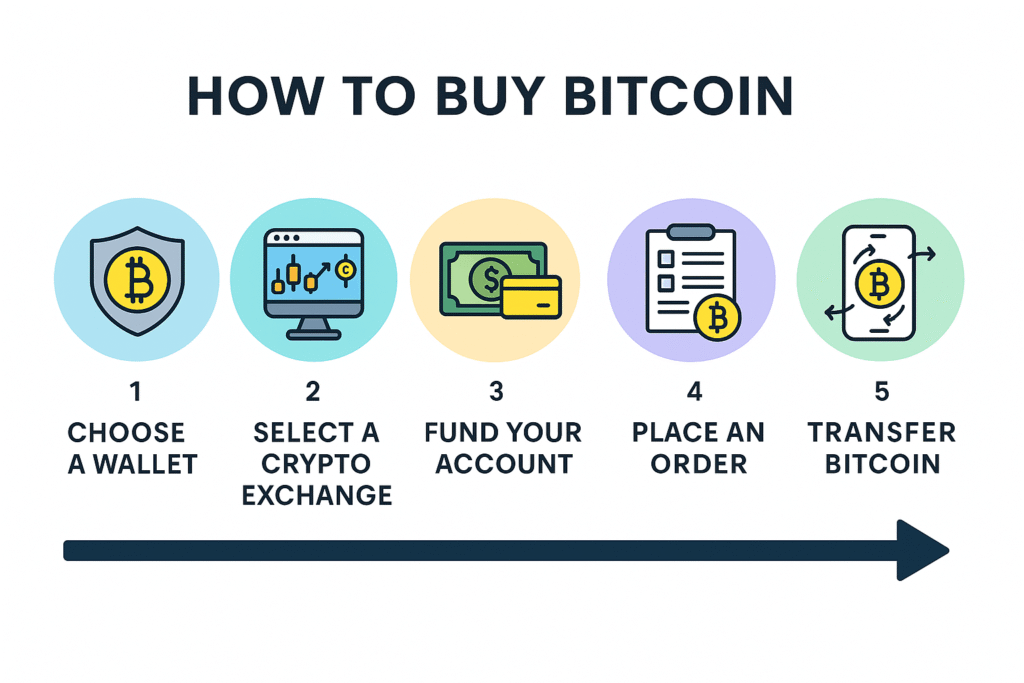
1. Set Up a Bitcoin Wallet
Before making any purchases, you need a secure Bitcoin wallet to store your funds. There are several types of wallets:
- Mobile wallets – Convenient for on-the-go payments (e.g., Trust Wallet, Mycelium).
- Desktop wallets – Installed on your computer, offering more control (e.g., Electrum, Exodus).
- Hardware wallets – Physical devices for maximum security (e.g., Ledger, Trezor).
- Exchange wallets – Provided by crypto exchanges like Coinbase or Binance, useful for beginners.
Tip: Always backup your wallet and keep your private keys secure.
2. Buy Bitcoin
If you don’t already own Bitcoin, you’ll need to purchase some from a cryptocurrency exchange or a trusted seller. Popular exchanges include:
- Coinbase
- Binance
- Kraken
Once purchased, transfer your Bitcoin to your personal wallet for added security.
3. Find Merchants That Accept Bitcoin
Not all online stores accept Bitcoin. Look for stores or services that display the Bitcoin logo or mention cryptocurrency payments. Examples include:
- E-commerce stores
- Travel booking platforms
- Digital services like VPNs or software
Tip: Check for current Bitcoin payment rates as they may fluctuate frequently.
4. Place Your Order
Once you’ve selected your items or services:
-
Go to the checkout page.
-
Choose Bitcoin or Cryptocurrency as the payment method.
-
You will typically be given a Bitcoin wallet address or a QR code to send the payment.
5. Make the Payment
Using your Bitcoin wallet:
-
Open your wallet app.
-
Enter the merchant’s Bitcoin address or scan the QR code.
-
Enter the exact amount requested.
-
Confirm the transaction.
Note: Bitcoin transactions are irreversible, so double-check the address and amount before sending.
6. Wait for Confirmation
Bitcoin transactions require network confirmation. Depending on network congestion, this may take a few minutes to over an hour. Once confirmed, the merchant will usually process your order.
7. Receive Your Order
After confirmation, your order is completed just like any other payment method. Keep your transaction ID as proof of payment, in case of any issues.
Tips for Using Bitcoin Safely
- Only transact with reputable merchants.
- Keep your private keys secure; never share them.
- Double-check amounts due to Bitcoin’s volatility.
- Consider using wallets with built-in security features like two-factor authentication.
Using Bitcoin is a convenient and secure way to make online purchases. With a little practice, ordering with cryptocurrency can be as simple as using a credit card—but with more privacy and control over your funds.